Blog Details

 October 15, 2026
How to Buy YouTube Watchtime RDP: Setup, Pricing & What It Does
- Dikshita Kolekar
- 0 Comments
- buy-rdp-buy-cheap-rdp
It is discouraging trying to meet the requirements of YouTube’s watch hour. You post videos, optimize your thumbnails, promote them, and still the numbers in YouTube Studio don’t budge much.
That is why searches such as buy watchtime, watchtime RDP, and buy watchtime for YouTube are becoming common among new creators.
However, there is a significant difference that people tend to overlook.
An RDP or Remote Desktop Protocol server is just a remote computer which runs Windows that can be accessed through the Internet. It is helpful when working on YouTube and uploading videos and other large files, editing videos and doing whatever is needed remotely without having to turn on one’s own personal computer. Microsoft defines RDP as remote access to a Windows desktop and applications.
An RDP does not create legitimate YouTube watch hours by itself.
If a provider is selling automated or artificial views through an RDP, that is a very different proposition—and one that can create serious channel and monetization risks.
This guide explains what rdp watchtime services actually mean, what you should look for when buying an RDP, how setup works, how pricing is calculated, and what to avoid.
What Is a Watchtime RDP?
A watchtime RDP is generally a Windows-based remote server marketed toward people who want to perform YouTube-related tasks remotely.
Technically, there is nothing special about the word “watchtime” in RDP.
The underlying service is still a remote computer. You access the system via Remote Desktop, get a Windows desktop interface, and work with this system very similarly to working on your own computer.
According to Microsoft, the Remote Desktop feature allows users to connect to the remote Windows machine, launch applications and documents, and control the desktop remotely. Microsoft Support
Some hosting providers market RDP servers for:
- YouTube channel management
- Video uploading
- Content scheduling
- Remote video editing
- Browser-based creator tools
- Social media management
- File storage and transfers
- Running legitimate automation for business workflows
This issue arises when the RDP is offered as a solution to create artificial views on YouTube.
According to YouTube’s policy against fake engagement, creators are prohibited from creating fake views, likes, comments, subscribers, and more. Also, YouTube mentions that getting another person to do the task will not absolve the creator of policy violation.
Therefore, before you buy watch time from anyone else, make sure you know what you are buying.
Are you buying remote computing resources, or are you buying virtual engagement?
Those are not the same thing.
Why Would Someone Purchase RDP for YouTube?
There are numerous legit reasons why people need a remote connection to a Windows PC.
- You can do your job from almost everywhere
Through an RDP, you will be able to access your remote desktop environment using another computer.
For example, you could transfer your videos using your laptop when traveling, without necessarily storing the project files in your computer.
- Your home computer does not need to stay online
Suppose you have a long-running creator task that needs a Windows environment.
Instead of leaving your personal PC running 24/7, the work can run on a hosted server.
This is one of the practical advantages of remote computing.
- Better resources for certain workflows
Such a computer will experience difficulties in managing large documents, multiple tabs that are open within the web browser or even desktop applications.
The appropriate VPS/RDP size will provide extra memory, processor speed, disk storage space and networking capacity.
The right specification depends on the workload.
You do not necessarily need a powerful server just because the word “YouTube” appears in the product description.
- Centralized creator operations
Collaboration within the team can be achieved with the use of remote Windows stations provided the factors related to accounts, permissions, licensing, and security have been correctly handled.
It is noted by Microsoft that Remote Desktop Services offer application and desktop centralization, and access to remote environments.
Does RDP Actually Increase YouTube Watch Time?
No not by itself.
This is the most crucial point in the whole article.
An RDP is a computer-access method. It doesn’t have a built-in feature that automatically counts watch hours on your YouTube channel.
You should be careful of anyone who tells you that buying an RDP would result in valid watch hours on YouTube.
YouTube is able to differentiate legitimate watch time from illegitimate watch time.
The criteria for consistent ad revenue YPP as per now requires 1,000 subscribers and 4,000 watch hours publicly viewable within 12 months prior using long-form video or vice versa via Shorts-view.
Targeted number of hours 4,000 will suggest that:
4,000 hours x 60 minutes = 240,000 minutes.
If actual time per view is taken into account and equals 5 minutes, then 48,000 actual views are needed in order to have 240,000 minutes.
That is a mathematical example, not a prediction of how many views any particular channel will receive.
More importantly, YouTube says artificial traffic may not count and can lead to enforcement action. Its invalid-traffic guidance specifically discusses automated or incentivized third-party traffic.
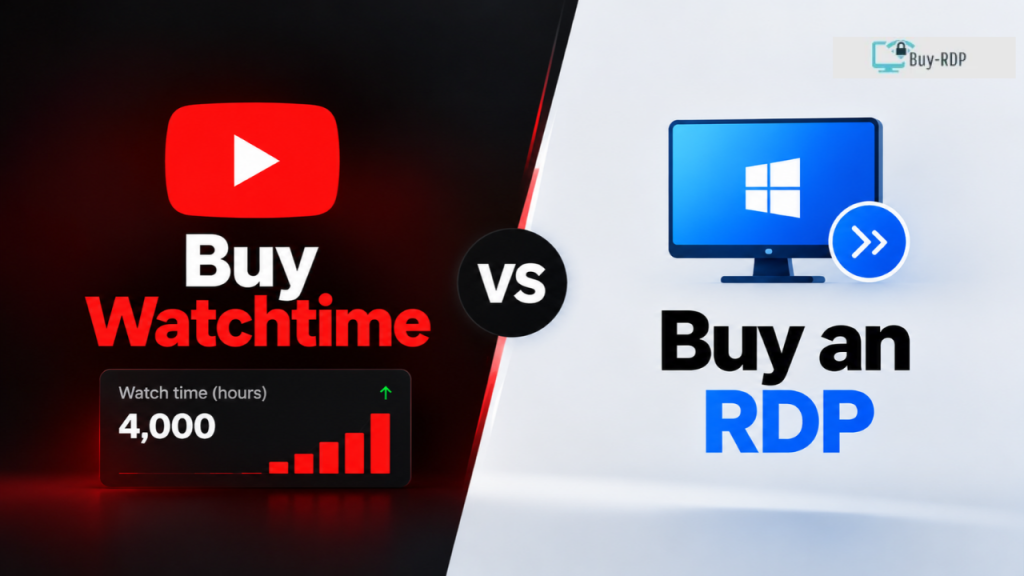
"Buy Watchtime" versus "Buy an RDP": How Are They Different?
They get lumped together in search engine results, yet they are not the same thing.
Option | What you’re actually getting | Main use | Risk |
Windows RDP/VPS | A remote computer | Legitimate remote work | Depends on provider and configuration |
YouTube promotion | Distribution to potential viewers | Audience discovery | Usually safer when using official advertising tools |
Artificial watchtime service | Claimed views/watch hours | Metric inflation | High policy and monetization risk |
Organic content strategy | Real viewers and engagement | Long-term channel growth | Lower platform-policy risk |
The most reasonable definition of watchtime RDP would be RDP utilized for genuine YouTube activity—not a machine set up to pretend like viewers.
How to Choose an RDP for YouTube Work
If your actual requirement is a remote Windows environment, focus on infrastructure rather than promises of watch hours.
Check the RAM
A lesser Windows VPS can do for routine browsing activities.
Though, for multitasking applications, which may be complex, or for programming and editing tasks, additional memory would be quite useful.
Check CPU resources
The significance of the CPU is clearly seen in cases of file processing or application programs that need high performance.
Cheap RDP with poor CPU will work badly even though it has abundant space.
Check storage
Video files tend to be rather large files very quickly.
This is even more so if you require your source videos, exports, thumbnails, and projects to be stored on your server.
Check network performance
Fast upload speed is important if there are large video files to move.
A fast-storage, slow-networking server will still provide a poor workflow experience.
Check the server location
Choose a location reasonably close to you or your team when latency matters.
For example, current Indian providers advertise Windows RDP/VPS plans in Mumbai and other Indian locations.
Check Windows licensing
Assume not all cheap Windows RDP licenses come with the same licensing package.
You should find out from the company which OS they use, if the licensing comes with it, and if administrator access is provided.
How to Set Up an RDP for YouTube
The basic setup is straightforward.
Step 1: Select the server
Pick a Windows VPS/RDP considering the CPU, RAM, Storage, Bandwidth and its Location.
Avoid choosing a plan simply because it advertises “watchtime.”
Step 2: Receive your credentials
After provisioning, a provider normally gives you details such as:
- Server IP or hostname
- Username
- Password
- Windows version
- RDP connection information
Never share administrator credentials with an unknown third party.
Step 3: Connection with the Remote Desktop
With the help of the Remote Desktop Connection in the windows based system, use the name or IP address of the remote computer.
This information is explained by Microsoft for the present Remote Desktop tutorial. Microsoft Support
Step 4: Secure the server
Change the default credentials and apply a secure password.
Whereas the business environment is concerned, then MFA, access restrictions, firewall policy and monitoring come into play as pertinent controls that can be applied. According to Microsoft, there should be security policy implementations like secure connections, MFA and auditing within an RDP environment.
Step 5: Do not install more than necessary
Install your legitimate creator applications and browser tools
No scripts or programs that generate fake interaction should be utilized.
Step 6: Apply what you already know
The fact that you can now do certain things such as uploading videos and data analysis using the remote computer.
How Much Does a Watchtime RDP Cost?
There is no universal “watchtime RDP” price because the underlying product is usually a Windows VPS or remote desktop server.
The price will be based on the RAM, CPU, storage, bandwidth, Windows license cost, geographical location, backups, and the service provider.
To give an example of the current prices, an Indian service provider offers Windows VPS starting at ₹598 per month with 4 GB RAM, 2 vCPUs, and 40 GB NVMe storage. Another provider advertises Windows RDP plans starting at ₹999/month for 8 GB RAM and 4 vCPU.
These are real provider-listed examples checked for this article, not a universal market rate.
A useful budgeting framework is:
- Entry-level: suitable for basic remote desktop and browser work
- Mid-range: better for multitasking and heavier creator workflows
- High performance : for difficult tasks or several simultaneous tasks
Do not pay a premium merely becauseF a seller labels an RDP as a “watchtime server.”
You are paying for computing resources, not guaranteed YouTube watch hours.
What Does RDP Watchtime Software Actually Do?
This is where the buyer should be extra cautious.
RDP protocol usage will allow you to access the remote computer.
Using third party services, you could use software and scripts for automatic browser activity. In case such software is programmed for frequent video viewing, faking views or rotation of traffic, then such software can no longer be considered an RDP tool.
According to YouTube, any artificial traffic may be stripped from their system.There is also a monetization issue.
The guidelines for monetizing videos on YouTube state that the creators should refrain from inflating engagement through views, likes, subscribers, watch time, and ad impressions. The violators face the penalty of being dropped from the YouTube Partner Program
That means a service promising “4,000 hours guaranteed” deserves much more scrutiny than a normal VPS provider promising “4 GB RAM, 2 vCPU, 40 GB storage.”
The first is making a platform-metric promise.
The second is describing computing infrastructure.

Red Flags Before You Buy Watchtime for YouTube
Before purchasing any service marketed around YouTube watch hours, look for these warning signs.
“Guaranteed monetization”
No legitimate RDP can guarantee YPP approval.
YouTube reviews channels against its policies, and meeting a numerical threshold does not automatically guarantee acceptance.
“Guaranteed 4,000 hours”
An offer to provide a guaranteed number of viewing minutes must be viewed with suspicion, particularly when it comes to an automated process.
Extremely cheap packages
If the offer appears dramatically cheaper than the cost of the underlying infrastructure, ask how the service is actually being delivered.
No explanation of traffic sources
The infrastructure service provider should be capable of explaining details such as the CPU, RAM, Storage capacity, Location, Bandwidth, Operating System, and Support.
Requests for unnecessary account access
Never hand over your Google password simply because someone says it is required to deliver an RDP service.
A Better Way to Reach YouTube Watch Hours
If making money is indeed your goal, you will need to focus on building the number of authentic views.
Start off with topics which relate to what your audience is looking for.
Then improve:
- Titles that clearly communicate the benefit
- Thumbnails that create curiosity without misleading viewers
- The first 30 seconds of the video
- Average view duration
- Playlists that naturally connect related videos
- End screens and cards
- Internal traffic between relevant videos
- Consistent publishing
- Audience retention
As far as this situation goes, instead of having to make four thousand hours’ worth of video tutorials, the software tutorial video channel might concentrate on creating ten video tutorials that have some relation to one another. The video sorts out an issue, and then goes to the next one.
That creates a viewing journey rather than an artificial metric.
However, YouTube also states that all types of watch time do not contribute to the 4,000 hours minimum watch time requirement. Watch time generated from Shorts Feed watch does not count towards the long-form watch time, as well as from videos that are private, unlisted, or deleted.
Key Takeaways
- An RDP is a remote computer, but not a watch-hour producer.
- A watchtime RDP can be useful for legitimate remote YouTube workflows.
- Buy watchtime for YouTube services that artificially generate engagement carry significant policy risks.
- YouTube now needs 4,000 public watch hours and 1,000 subscribers to earn ad revenue through the long form ad model. Google Help
- YouTube can remove artificial traffic from its metrics.
- The following are the primary elements affecting RDP pricing: RAM, Processor, Storage, Bandwidth, Location, and Microsoft Windows Licensing.
- Current Indian examples range from roughly ₹598/month for a 4 GB Windows VPS to ₹999/month for an 8 GB RDP plan.
- The purchase of RDP does not automatically mean that you have earned money from YouTube.
- When aiming at sustainable development, focus on genuine viewers, viewer retention, valuable content
FAQs
What is a watchtime RDP?
A watchtime RDP is usually a Windows remote desktop server marketed for YouTube-related tasks. The RDP itself simply provides access to a remote computer. It does not automatically create valid YouTube watch hours. If additional software is used to simulate viewing or inflate metrics, that creates a separate policy risk.
Can I buy watchtime for YouTube using an RDP?
You can purchase an RDP for legitimate YouTube work, such as uploading videos, managing files, or accessing creator tools remotely. However, using an RDP to generate artificial views or watch hours is risky. YouTube prohibits artificial engagement and may remove invalid traffic or take action against violating channels. Google Help+1
How much does a YouTube RDP cost?
There is no fixed price for a YouTube RDP. Current Indian examples include Windows VPS plans around ₹598/month for 4 GB RAM and RDP plans around ₹999/month for 8 GB RAM. Pricing varies with CPU, RAM, storage, bandwidth, location, licensing, and provider. Always check the current plan before purchasing. AIC Cloud+1
Does RDP watchtime count toward YouTube monetization?
Only eligible watch activity can contribute to YouTube’s qualified watch-hour requirements. An RDP does not make artificial viewing legitimate. YouTube states that artificial traffic may not be counted and can result in enforcement action. For the standard long-form route, YouTube currently lists 4,000 qualified public watch hours and 1,000 subscribers. Google Help+1
Can an RDP guarantee 4,000 watch hours?
No. A legitimate RDP provider cannot guarantee YouTube monetization or qualified watch hours simply by providing remote server access. YouTube evaluates traffic and channels against its policies. Services promising guaranteed hours through automated viewing should therefore be treated as high-risk rather than as ordinary hosting products.
What should I look for when buying an RDP?
Look at RAM, CPU, storage, bandwidth, server location, Windows licensing, uptime, administrator access, backup options, and support. Also check whether the provider clearly explains what is included. Do not choose an RDP solely because the seller promises YouTube watch hours or guaranteed monetization.
Is buying an RDP the same as buying YouTube views?
No. An RDP is computing infrastructure that lets you remotely control a Windows machine. Buying views is a traffic service. An RDP can be used for legitimate creator operations, while using it to artificially inflate YouTube views or watch time can violate YouTube’s policies on fake engagement and invalid traffic. Google Help+1
What is the safest way to increase YouTube watch time?
The safest approach is to earn genuine viewing through useful videos, strong audience retention, relevant playlists, effective thumbnails and titles, and compliant promotion. Build related videos into a viewing journey so that someone who finishes one useful video has a natural reason to watch another.
If you search for buy watchtime, understand what you are actually buying before spending money. A genuine RDP is a remote Windows environment that can make YouTube management easier, but it is not a shortcut to qualified watch hours.
If your goal is monetization, artificial youtube watchtime buy packages can create more problems than they solve. YouTube actively evaluates traffic quality and prohibits artificial engagement.
For legitimate remote work, choose an RDP based on its real specifications, security, reliability, and price—not a promise of guaranteed watch hours.
If you need a legitimate remote server for your creator workflow, you can explore buy-rdp and compare the available RDP specifications before choosing a plan.
Related Tags:
Share:

Leave a comment