Blog Details

 July 15, 2026
USA Shared RDP: Fast, Cheap, and Ready in Minutes
- Dikshita Kolekar
- 0 Comments
- buy-cheap-rdp , buy-rdp , buy-rdp-buy-cheap-rdp , buy-rdp-software , secure-rdp , shared-rdp , usa-rdp
If you need remote access to a Windows server located in the United States but don’t want to pay for a full dedicated machine, a USA shared RDP is likely the solution you’re looking for.
Here’s the main issue people usually face.
You need an RDP for a specific purpose such as testing software, running a bot, managing ad accounts or accessing websites that are only available in the US. But dedicated RDP plans can be costly and setting one up often takes hours or even days. That’s a lot of time and money for something you might only need for a short period.
A shared RDP solves both of these problems.
This is because the cost of using the server is split among several users.Additionally, it’s ready quickly since there’s no lengthy setup process you can log into your US-based desktop within minutes of making the payment.
In this guide, we’ll explain exactly what a USA shared RDP is, how it differs from a dedicated RDP, what it costs, and how to choose a plan that suits your needs without any technical jargon.
What Is USA Shared RDP?
Remote Desktop Protocol is an abbreviation of RDP.
It is a protocol that enables you to access and operate a computer remotely, as though you were operating the computer yourself from where you are.
USA Shared RDP is a remote desktop running on a Windows computer server which is located within the USA territory.
The server utilizes the computing resources such as memory, CPU and bandwidth by more than one user.
Let us try to get clarity on how this works by comparing an apartment complex with a private residence:
Dedicated RDP is like owning your own house.You have full control, but you also pay for everything.
“RDP Sharing” is similar to staying in an individual suite in a shared apartment complex.It gives you the privacy and security of your own place while sharing the cost of maintenance of the entire apartment complex among all the residents.
Each user on a shared RDP still receives:
Their own login and desktop session
Their own set of applications and files
Admin rights within their own session, depending on the plan they are on
You are not sharing your screen or your files with anyone else.
You are simply sharing the underlying hardware that supports the service.
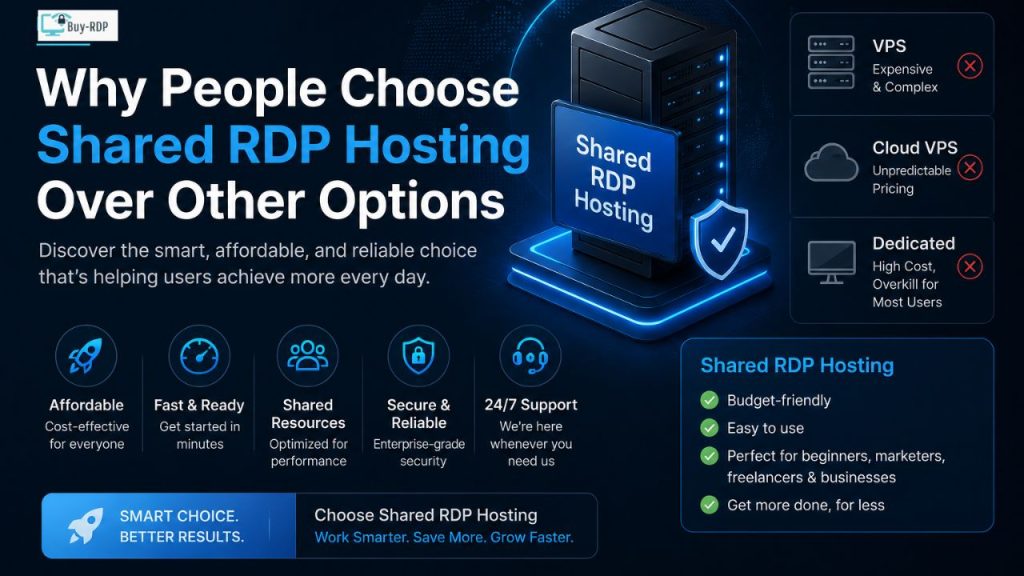
Why People Choose Shared RDP Hosting Over Other Options
There are a few clear reasons shared RDP hosting has become popular, especially for people running US-based tasks from outside the country.
- It’s Genuinely Affordable
Because the server cost is split, shared RDP plans are priced far lower than dedicated servers or VPS plans with similar specs. This makes it very possible and realistic for freelancers, small groups, and even individuals to access the USA with a very reasonable monthly payment.
- Setup Takes Minutes, Not Days
Most providers, including buy-rdp, activate shared RDP accounts automatically after payment. You get your login details IP address, username, and password usually within 5 to 15 minutes.
- No Technical Skills Needed
You do not have to go through the process of configuring the servers, installing the operating system, or configuring the firewall. The RDP comes configured with Windows.
- Perfect for Short-Term or Testing Needs
If you only need a US IP address or Windows environment for a short project, paying for a full dedicated server doesn’t make sense. Shared RDP plans are often available on daily, weekly, or monthly billing.
Key Benefits of USA Shared RDP
Here is a summary of the advantages you receive by opting for a shared RDP plan:
- You pay less each month compared to using a dedicated RDP or VPS.
- The service activates quickly, often right away or within just a few minutes.
- You receive a US IP address, which will allow you to use region-specific services, launch US advertising campaigns, or test the content that is meant for a certain geographic location.
- You can access your RDP at any time and from any computer that has access to the Internet.
- You don’t have to worry about maintaining any hardware because the service provider takes care of all server maintenance.
- The plan is scalable most providers allow you to move to a larger plan or a dedicated RDP if your requirements increase in the future.
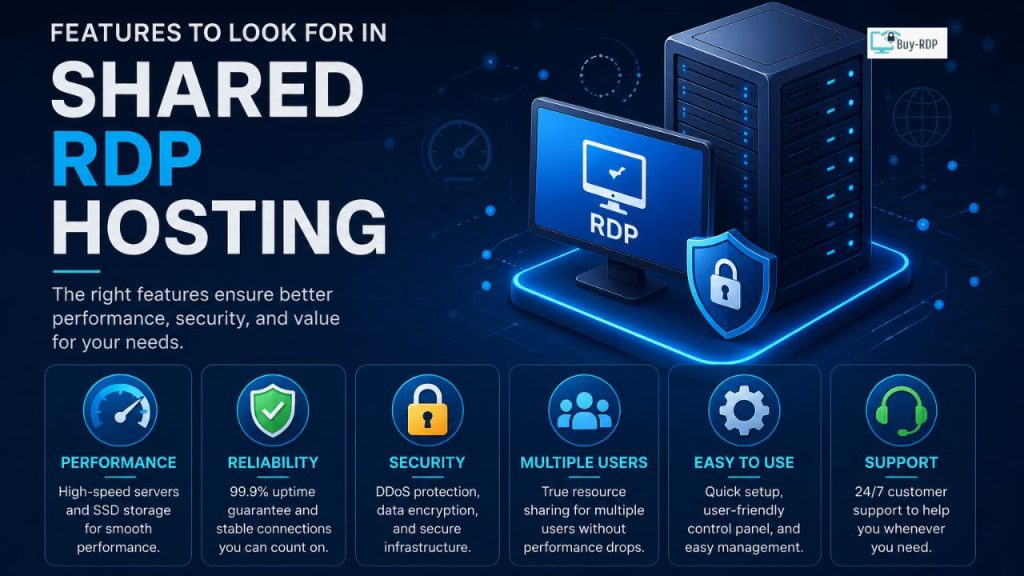
Features to Look For in Shared RDP Hosting
All shared RDP hosting services are not created equal.
Before purchasing any services, take note of these essential considerations:
Server Location
Verify that the RDP is actually hosted in a U.S.
data center, not just labeled as “USA” for marketing purposes.Ask the provider to specify the exact state or city where the server is located.
RAM and CPU Allocation
Regardless of having a shared hosting package, your server should still have a guarantee of getting a minimum RAM and CPU core allocation.
Stay away from those who provide you with packages that are only labeled “shared, unlimited.” However, in the case of basic activities such as web browsing and office tasks, 2GB to 4GB RAM would be more than adequate.
Windows Version
You have an option to choose from for your RDP server. This is just not all but there is yet another approach that you may consider, say, Windows Server 2019 or Windows 10. Therefore: An alternate solution would be for you to install the Windows Server 2022, Windows Server 2019 or Windows 10 on your RDP Server.
Verify your administrative rights for the session.
In case of installing customized software or making complex settings changes, this is important
Uptime Promise
Select a provider with 99.9% uptime guarantee all the time.The higher percentage of uptime guarantee lowers the risk of being down.
Support Availability
Since you will be working remotely, it is important to have support available all day long since any problems may occur at any time.
Shared RDP vs Dedicated RDP: What's the Real Difference?
This is one of the most common questions people ask before buying: shared RDP vs dedicated RDP which one do I actually need?
Here’s a direct comparison to help you decide:
Factor | Shared RDP | Dedicated RDP |
Cost | Low, budget friendly | Higher, full server price |
Resources | Shared among a few users | 100% reserved for you |
Setup Time | Minutes | Minutes to a few hours |
Performance | Good for light to medium tasks | Best for heavy, resource-intensive tasks |
Best For | Testing, browsing, small automation, short-term projects | Large-scale automation, hosting apps, high-traffic tasks |
Customization | Limited to your session | Full server-level control |
IP Address | Shared or semi-dedicated, depending on plan | Fully dedicated IP |
Scalability | Easy to upgrade later | Already at full capacity |
Basic tip:
Select a shared RDP for budget conscious users, those who want to try out something different, or if the workload is minimal to average.
Select a dedicated RDP for those who have heavy software requirements, need consistent performance throughout, or want to scale up a business process and cannot tolerate any downtime.
Most customers purchasing buy-rdp start off by using the shared RDP option and then graduate to the dedicated RDP service when their requirement increases. This is one of the best methods of avoiding overspending at the outset.
Who Should Use Shared RDP Cheap Plans?
Choosing shared RDP affordable plans is suitable for certain scenarios.
Here are the most common situations where this option is useful:
Individuals working remotely or as freelancers who require a US-based Windows environment for their clients’ projects
Digital marketers managing campaigns aimed at the US or utilizing SEO tools that demand a US IP address
Software testers evaluating how applications or websites function within a US-based environment
Small business owners requiring some sort of remote access to their network, but not having any server
Students and researchers accessing information or software which is available only in the US
Online sellers managing accounts on US based marketplaces like Amazon, eBay etc.
If your tasks involve using light to moderate resources and you do not require guaranteed exclusive performance, shared RDP is typically a more cost effective solution.
How to Get Started With buy-rdp's USA Shared RDP
Getting a USA shared RDP up and running with buy-rdp is straightforward:
Choose a plan according to your requirement of RAM, CPU, and storage
Complete payment through the available payment options
Receive your login credentials — IP address, username, and password — usually within minutes
Log in using the Windows Remote Desktop Connection utility or any other RDP client software
Start working on your US-based Windows desktop right away
No forms, no need to wait for approval, and no server installation required on your part.
Takeaways
A shared RDP in USA is basically a Windows virtual computer available remotely in the USA, utilizing server resources amongst a few users.
It’s significantly cheaper than dedicated RDP, making it ideal for budget-conscious users and short-term projects.
Setup is fast – most accounts are active within 5 to 15 minutes of payment.
Shared RDP service is perfect for low to medium load usage while dedicated RDP is ideal for high loads usage.
Make sure to verify the server’s location, guaranteed RAM/ CPU, administrator’s rights and uptime before selecting a provider.
buy-rdp provides affordable and reliable shared USA RDP accounts which activate quickly and come with excellent customer support.
FAQ
What is USA shared RDP used for?
The USA Shared RDP is used in scenarios where there is a need to perform operations in an American Windows environment like visiting sites that are accessible only in America, launching advertising campaigns in America, conducting tests, managing accounts, or remote access to a Windows desktop in any part of the world.
Is shared RDP safe to use?
Yes.Although the server hardware is shared among users, each user has their own isolated session, with their own login and files.Other users on the same server cannot see or access your session.Reliable providers, like buy-rdp, also use security measures such as firewalls and regular server monitoring to keep things secure.
How quickly can I get a USA shared RDP account?
Most shared RDP accounts are activated automatically and delivered within 5 to 15 minutes after payment is confirmed. This makes it one of the fastest methods to obtain US-based remote access.
How does shared RDP differ from dedicated RDP in terms of performance?
As the name suggests, shared RDP distributes the resources of the server among several people, hence making it appropriate for light to moderate tasks, but performance may be reduced when the server is under high load.
Dedicated RDP gives the entire server’s resources to one person only; hence, it performs better than shared RDP.
Can I switch from shared RDP to dedicated RDP later?
Yes.Most providers, including buy-rdp, allow you to upgrade your plan as your needs increase.Many users start with a shared RDP plan due to its affordability and later move to a dedicated RDP when their workload grows.
Why is shared RDP less expensive than other forms of web hosting?
This is because the expense for the server hardware, bandwidth, and maintenance is divided among several people.
You will have your own session that is running in the shared environment.
Is Technical expertise required for using shared RDP?
No technical expertise is required because the server is already configured along with Windows operating system. Pre-requisites include just username and password and also Remote Desktop Connection client, which is available by default on most systems.
Can I use USA shared RDP for business purposes?
Sure, if you do not exceed the bounds of reasonable resource usage.
Lots of freelancers, marketers, and even small businesses prefer using shared RDPs in their everyday activities such as managing accounts, testing, and working remotely. For more intensive business activity, you should opt for a dedicated RDP.
Conclusion
Choosing between shared and dedicated hosting doesn’t have to be complicated. If you need a USA shared RDP that’s affordable, quick to set up, and good enough for everyday tasks, a shared plan checks all the boxes. It gives you a real US-based Windows desktop without the higher cost of a dedicated server and you can always upgrade later if your workload grows.
The key is matching the plan to your actual needs. Don’t overpay for dedicated resources you won’t use, but don’t undersize your plan either if you’re running anything beyond light, occasional tasks.
Ready to Get Started?
buy-rdp offers reliable USA shared RDP plans that are fast to activate, priced for real budgets, and backed by responsive support. Browse the available plans on buy-rdp today and get your US-based Windows desktop up and running in minutes.
Related Tags:
Share:

Leave a comment