Many people get confused about the differences between VPN (Virtual Private Network) and RDP (Remote Desktop Protocol) software. While some assume they’re the same, they actually have distinct characteristics, advantages of RDP, and disadvantages. Let’s delve into what VPN and RDP are, and how they differ.
What is Virtual Private Network (VPN)?
A VPN creates a secure and private tunnel between your device and the internet. It allows you to change your location, enhance security, and protect your privacy. VPNs also help you access censored websites and ensure a better online experience.Normally, your internet traffic goes through your Internet Service Provider (ISP), which can track the sites you visit and your activities. But with a VPN, the websites you visit won’t see your original IP address, enhancing your privacy.In essence, a VPN creates a private network on top of the public internet. When connected, VPN applications work only on local networks via the internet.
What Is Remote Desktop Protocol (RDP)?
Remote Desktop Protocol (RDP) allows you to use devices or systems remotely. It’s a secure network communication protocol developed by Microsoft. With RDP, you can access and manage devices from a remote location, essentially mirroring your computer’s interface.RDP utilizes internet connections to virtually link users with their remote devices, assuming existing user roles without needing separate credentials. However, RDP sessions need constant monitoring, especially when handling sensitive data.
Differences between VPN and RDP:
Flexibility
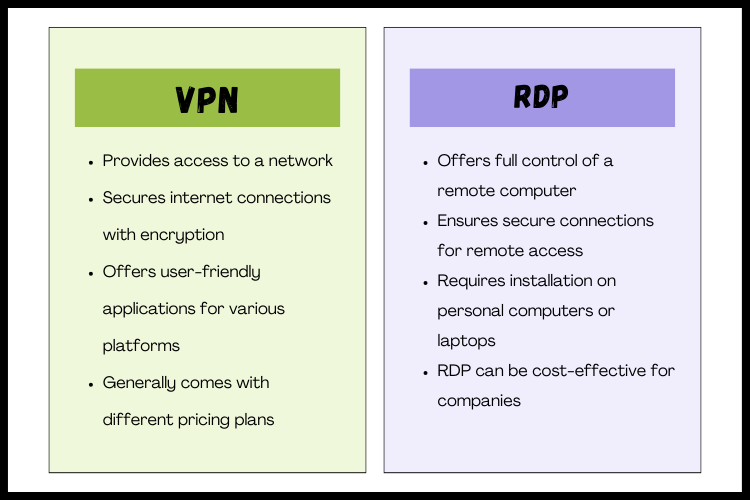
VPN: Provides access to a network, allowing users to connect to resources and services remotely.
RDP: Offers full control of a remote computer, enabling users to access and manage the entire system from a distance.
Security
VPN: Secures internet connections with encryption, protecting data during transmission and preventing unauthorized access.
RDP: Ensures secure connections for remote access, safeguarding sensitive information and maintaining confidentiality.
Usability
VPN: Offers user-friendly applications for various platforms, making it accessible on different devices such as computers, smartphones, and tablets.
RDP: Requires installation on personal computers or laptops and may have specific system requirements for optimal performance.
Cost
VPN: Generally comes with different pricing plans, often offering affordable options with basic features and occasional discounts.
RDP: This can be cost-effective for companies, potentially saving on hardware expenses and infrastructure costs associated with remote work setups.
Implementation
VPN: Requires minimal effort for installation and configuration, with straightforward setup procedures for connecting to the network securely.
RDP: This may require more time and resources for proper setup, including the configuration of remote access permissions and network settings.
Core Purpose
VPN: Primarily designed to provide secure network access through tunneling, allowing users to access resources and services remotely while protecting data integrity and privacy.
RDP: Focused on remote access to servers and systems, enabling users to control and manage remote computers as if they were physically present, facilitating collaboration and remote work scenarios.
Why Choose a VPN?
Despite the debate between VPNs and RDP, many prefer VPNs for their secure access and flexibility across various platforms.
Advantages of VPN:
Secure network with no data leaks.
Protection of private information during remote access.
Prevention of bandwidth and data throttling.
Cheaper support costs with basic functions are often available for free
Protected file transfer with IPv4 and IPv6 protocols.
Disadvantages of VPN:
Higher quality VPNs may come at a premium price.
Free VPN applications may pose risks.
Potential for slower internet speeds due to tunneling
Not accessible on all devices
Configuration may be challenging in some cases
Types of Remote Desktop Protocol (RDP)
There are different types of Remote Desktop Protocol (RDP) available, each offering various features and benefits based on the developer’s design. Here are the main types:
Following Microsoft’s lead, subsequent operating system releases incorporated some form of remote desktop protocol. Additionally, other OS developers included RDP due to its popularity. However, private developers have also created their own versions of RDP with additional features to improve security and user experience.
Third-party Developed RDP
Private developers have developed standalone RDP applications that can run on various devices and operating systems. Some of these private RDP applications are free, while others offer paid features and may include advertisements.
Advantages of Using RDP
Using Remote Desktop Protocol (RDP) offers several advantages:
Secure Connection
Ability to Work from Anywhere
Cost-effectiveness
Simple Configuration
Quick access
Disadvantages of Using RDP
However, there are also some disadvantages to using RDP:
Possibility of Blockages
Dependence on Reliable Network
Network Dependency
Downtime
Minimal login process
Conclusion
Both VPN and RDP offer secure access but serve different purposes and come with their own set of advantages and disadvantages. Whether you choose VPN or RDP depends on your specific needs and preferences. Regardless of your choice, embracing digitalization with the latest devices can bring numerous benefits. Check out “Buy-RDP” RDP services now to streamline your remote work setup and boost productivity!
Frequently Asked Questions
Q1. What is a VPN, and how does it differ from RDP?
VPN creates a secure and private tunnel between your device and the internet, enhancing privacy and security while allowing access to censored websites.
RDP enables remote access and management of devices, essentially mirroring your computer’s interface, ideal for remote work scenarios.
Q2. How do VPN and RDP differ in terms of flexibility?
VPN provides access to a network, allowing users to connect to resources and services remotely.
RDP offers full control of a remote computer, enabling users to access and manage the entire system from a distance.
Q3. What about security features?
VPN secures internet connections with encryption, protecting data during transmission and preventing unauthorized access.
RDP ensures secure connections for remote access, safeguarding sensitive information and maintaining confidentiality.