How to Use Microsoft Remote Desktop(RDP) for Mac
What Is Remote Desktop Protocol ?
Microsoft Remote Desktop Connection or RDP has been developed by Microsoft Inc. in order to facilitate remote connections from remote locations. Though it was developed way before, it is turning out to be very useful in these circumstances.Now when Work from home culture is growing at its peak, technologies like
RDP play a major role in making this culture possible. RDP has been the biggest boon to connect people from different locations and communicate and access resources effectively.
How to use RDP from Mac
Using
Remote Desktop Protocol (RDP) from a Mac to connect to a Windows-based computer is straightforward. Here’s a step-by-step guide on how to set it up:
- Step 1- To begin using Microsoft Remote Desktop, you must first download rdp for mac from Mac App Store.
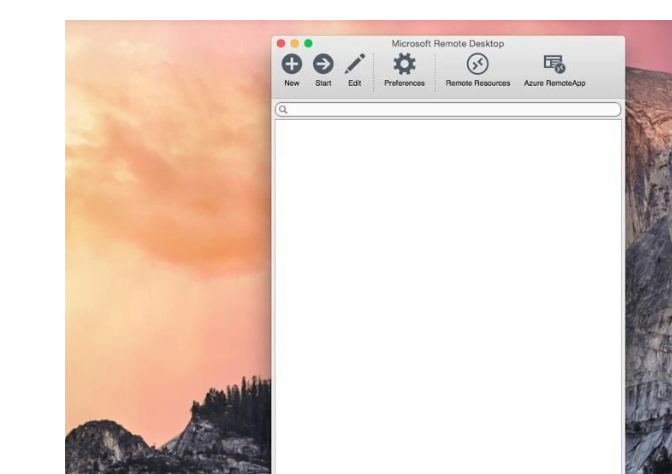
- Step 2- After that, launch the application by clicking on the grey “Launchpad” icon and then on the Remote Desktop app icon. Or, you can use the searchlight feature by clicking the looking glass at the top right of your home screen, When you launch the app, it should appear like this:
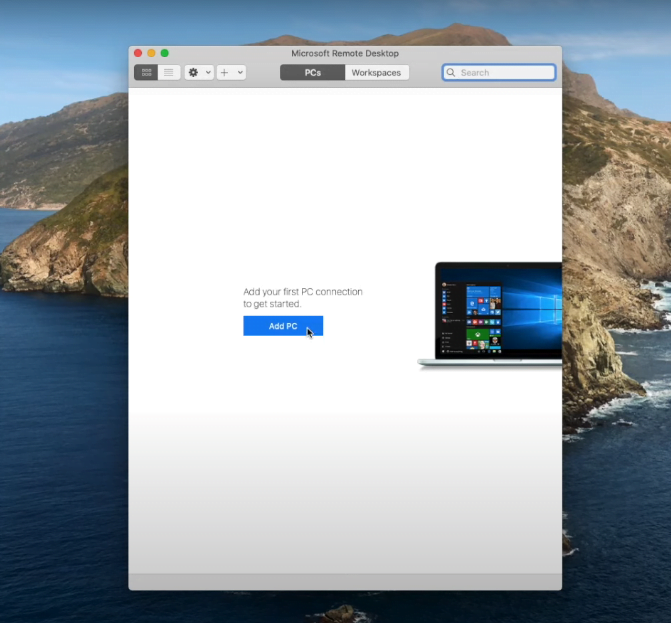
- Step 3- Select the New“+” icon
- Step 4- Select Add PC
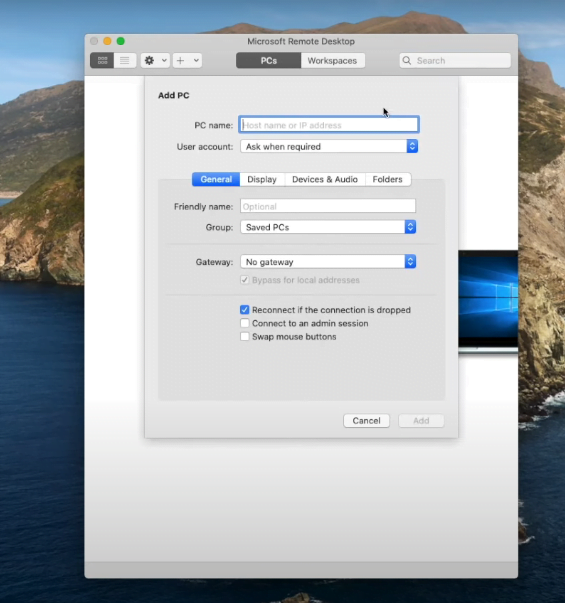
- Step 5- Then it will ask for PC name where you will have to enter the PC name you want your RDP to connect to. If you’re unable to find your name, you can check on “How to find my computer name”
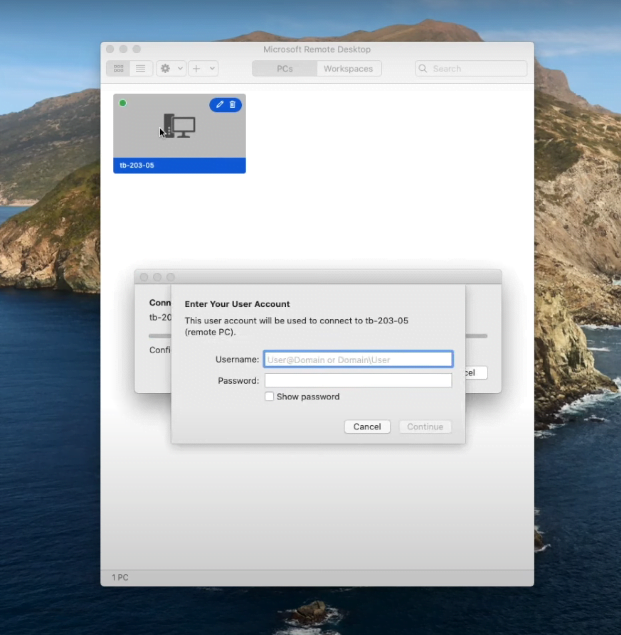
- Step 14- A list will appear, from where you will have to select your username.
- Step 15- Click Add, after that again click Add.
- Step 16- Then to start your connection, Double click on your Mac PC tile you have listed before.
- Step 17- See certificate, by clicking Show certificate.
- Step 18- Click on Always trust to prevent this warning appearing again and again for that Mac PC specified.
- Step 19- Then finally click Continue.
Configure & Use Microsoft Remote Desktop(RDP) on Mac
https://youtu.be/U_d0gqf-oAg
Conclusion
This will enable your micosoft rdp for mac computer. You can buy cheap RDP from is a trusted brand specifically in the Cheap RDP sector, and you will be availed with the best of features at lowest of prices. Contact
Buy RDP today to get your hands on these super cheap rdp for mac . We Know Powerful creativity and productivity tools live inside every Mac . That’s Why We Have Special Specification RDP For Mac